Human-in-the-Loop AI Approval Workflows: Ship Faster Without Letting Agents Go Rogue
Design approval gates for AI emails, CRM updates, refunds, content edits, and API actions using clear risk tiers and n8n handoffs.
The 60-second answer
- Design approval gates for AI emails, CRM updates, refunds, content edits, and API actions using clear risk tiers and n8n handoffs.
- The safe pattern is evidence first, AI second, human approval before irreversible action.
- The output should be a specific fix queue, not a vague dashboard or a pile of generated text.
The problem this workflow solves
The unsafe version of AI automation treats every output as ready to send. The practical version separates low-risk drafting from high-risk execution. A human-in-the-loop workflow lets AI prepare the work, but a person approves actions that affect customers, money, public pages, legal commitments, or permanent data.
The roast on this topic is simple: if the workflow cannot name the source, owner, review gate, and next business action, it is automation theater. A useful system reduces ambiguity. It should make it obvious what data came in, what the model changed, who approved it, and which page or workflow should be improved next.
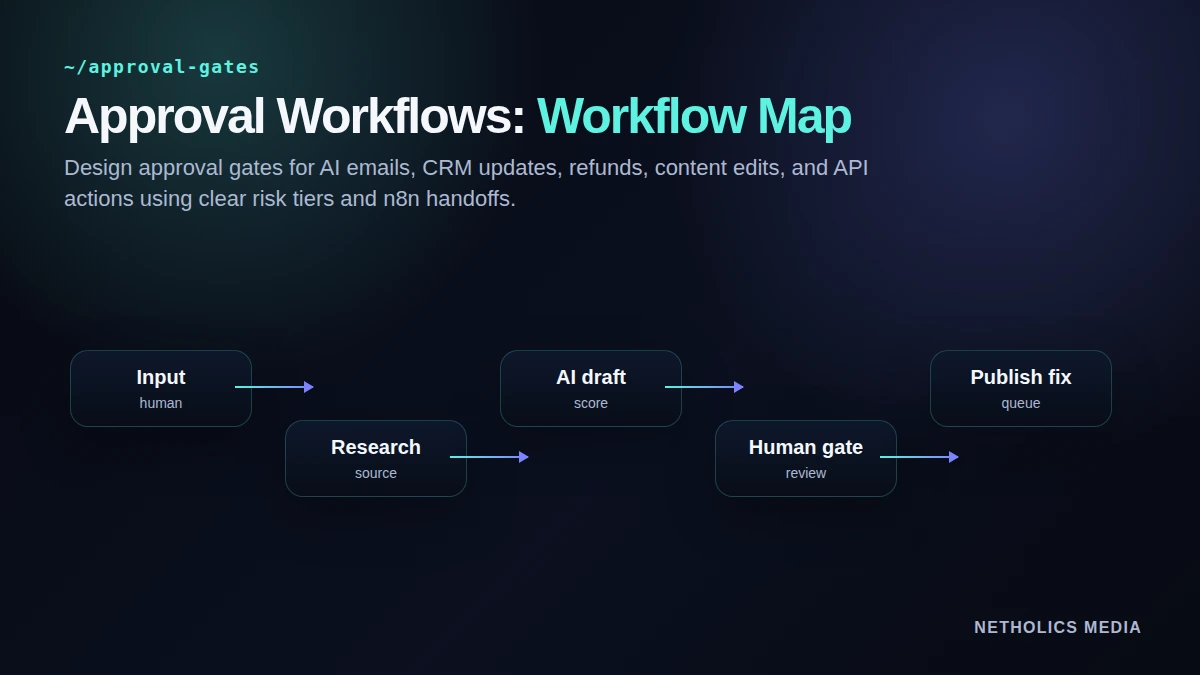
The operating workflow
Start narrow. Pick one high-value use case, run it manually once, then automate only the repeatable parts. The strongest systems are boring in the right places: stable inputs, visible validation, predictable approvals, and clear ownership.
- Classify actions Classify actions by risk before building the workflow.
- Let AI Let AI draft, summarize, enrich, or recommend, but pause before irreversible actions.
- Route approval Route approval requests with context: source data, proposed action, confidence notes, and rollback path.
- Record who Record who approved, when, and what changed.
- Use rejections Use rejections as training data for better prompts, validation rules, and workflow constraints.
Weak automation vs. production-ready automation
| Area | Weak pattern | Better pattern | Why it matters |
|---|---|---|---|
| Low risk | Summaries, tags, draft notes | Auto-run with logging | Saves time without customer impact. |
| Medium risk | CRM field updates, internal tasks | Approve exceptions or low-confidence cases | Keeps pipeline clean while avoiding review overload. |
| High risk | Customer emails, refunds, contracts, public pages | Require explicit human approval | Protects brand, money, and compliance. |
| Critical risk | Legal, medical, regulated, destructive actions | Do not automate execution | Use AI only for preparation and review. |
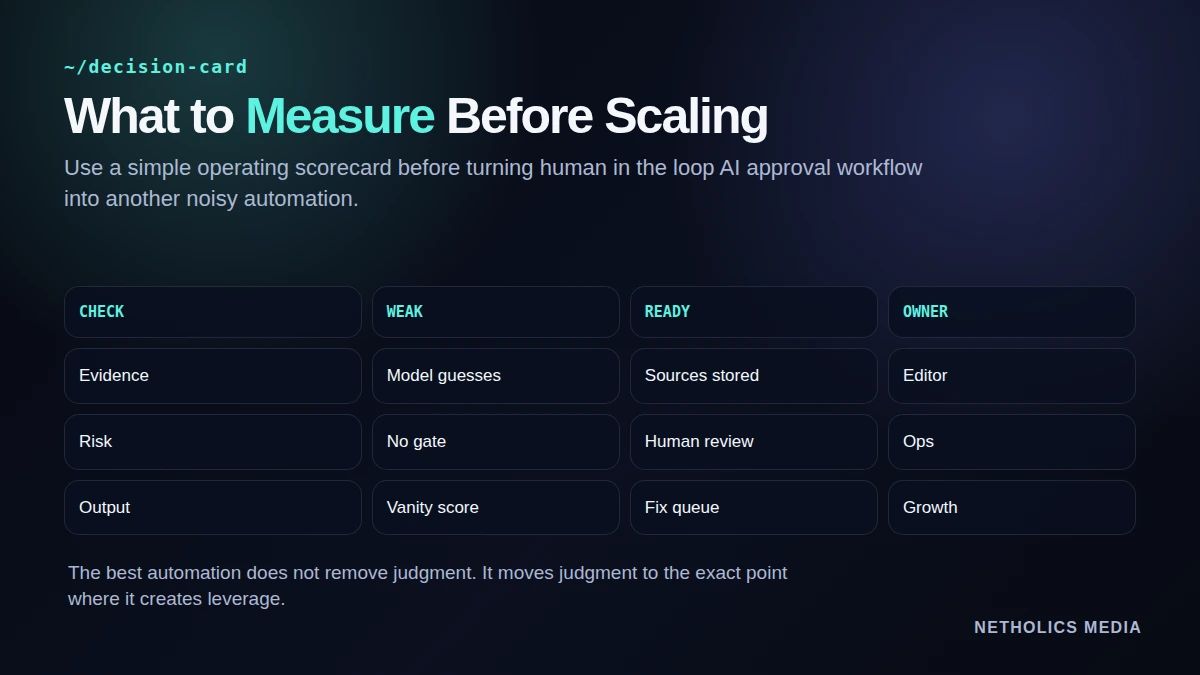
The control loop
Copy-paste starting point
approval_request:
  action_type: "send_customer_email"
  risk_tier: "high"
  source_record: "crm_deal_1842"
  proposed_action: "send follow-up email"
  ai_summary: "Lead asked for implementation timeline"
  reviewer_options:
    - approve
    - edit_before_send
    - reject
  audit_log:
    approver: "required"
    timestamp: "required"
final_payload_hash: "required"A launch runbook that avoids slop
Run the workflow manually before scheduling it. If the manual run does not create a better decision, automation will only create faster noise.
- Define the owner. Name who approves outputs and who fixes bad runs.
- Lock the inputs. Version prompts, source fields, URLs, and required metadata.
- Gate risky actions. Require review before public, customer-facing, financial, or destructive changes.
- Store evidence. Keep source URLs, model outputs, reviewer notes, and final action records.
- Review failures weekly. Turn rejected outputs into better validation rules and clearer prompts.
What other experts say
Reference card · n8n Wait node documentation
The strongest automation starts from documented inputs, visible content, and repeatable evaluation instead of unsupported model output.
Netholics comment: this is why the workflow keeps sources, approvals, and final fixes attached to every AI-assisted output.
Implementation checklist
- Pick one workflow first. Avoid automating a whole department before one loop works.
- Require source evidence. Every hard claim or decision should point to a source record.
- Use risk tiers. Low-risk drafting can run faster; public or customer-facing changes need review.
- Keep output structured. A fix queue beats a long AI paragraph.
- Track rejections. Rejected outputs are the fastest way to improve validation.
- Retest after edits. Automation without a feedback loop is just a fancy form.
Automation readiness card
| Impact | High when the workflow supports a repeatable revenue or content operation. |
| Risk | Medium unless approvals, source checks, and rollback paths are explicit. |
| Effort | Low to medium for a first controlled loop; higher for full dashboarding. |
| Best first workflow | Start with one narrow use case that already has a human process. |
| Do not automate yet | Do not automate decisions nobody can explain, review, or reverse. |
Frequently Asked Questions
Q: What is a human-in-the-loop AI workflow?
It is an automation where AI prepares or recommends an action, but a human reviews and approves important steps before the workflow executes them.
Q: Which AI actions need approval?
Customer-facing messages, money movement, CRM changes with revenue impact, public content changes, legal commitments, and destructive API actions usually need approval.
Q: Can n8n build approval workflows?
Yes. n8n can pause workflows, send approval requests, wait for a response, and resume with approved, edited, or rejected paths.
Q: How do you avoid approval fatigue?
Use risk tiers. Auto-run low-risk tasks, sample medium-risk tasks, and require approval only where the consequence justifies the review.
Q: Should rejected AI outputs be saved?
Yes, but safely. Rejections help improve prompts, validation rules, and examples while preserving an audit trail of what was not sent.
Q: When should AI never execute automatically?
AI should not automatically execute critical legal, regulated, destructive, or high-liability actions without strong controls and explicit human ownership.
Verified Sources
Build the system, not the AI gimmick
Netholics designs AI automation and GEO workflows with source checks, approval gates, monitoring, and content systems that can survive real operations.