n8n Workflow Design Patterns: Best Practices for Reliable Business Automation
A field guide to building n8n workflows that survive real traffic: triggers, branching, state, errors, secrets, queues, and human review.
The 60-second answer
- Start with the operating risk. A field guide to building n8n workflows that survive real traffic: triggers, branching, state, errors, secrets, queues, and human review.
- Build from source truth. Use approved URLs, stable docs, owner names, tests, and clear rollback paths before automation touches production.
- Keep humans where judgment matters. n8n and LLMs should reduce repetitive work while surfacing decisions that affect revenue, customers, or search visibility.
Reliable automation starts with repeatable patterns
A reliable n8n system is not a pile of clever workflows. It is a set of repeatable patterns for triggers, branching, state, retries, credentials, observability, and human review. The difference matters when a workflow becomes business infrastructure instead of a demo.
Pattern thinking gives a team shared language. A builder can say “this is an intake-validation-execute-alert pattern” and the owner knows where data enters, where risk is checked, where the work happens, and what happens when it fails.
Separate intake from heavy work
A common failure mode is putting every step behind one webhook. That makes the workflow hard to retry, hard to throttle, and easy to break when a payload changes. For important work, split intake from processing: accept the event, validate it, log the request, then hand off to the workflow that does the expensive work.
This pattern pairs naturally with queue mode, rate-limit handling, and execution monitoring. It also makes rollbacks less dramatic because the intake path can stay stable while processing changes behind it.
Name branches like business decisions
Branches should read like decisions, not implementation noise. “Qualified lead,” “needs human review,” “missing required data,” and “safe to auto-send” are better than “IF 1,” “true,” or “route B.” This is especially important when workflows are reviewed months after launch.
Clear branch names also improve AI-assisted maintenance. A future agent or human reviewer can understand the branch intent before touching the conditions.
Keep state boring, visible, and owned
State is where many workflows become mysterious. If a workflow needs memory, decide whether that memory is temporary execution data, durable operational state, or client-owned business data. Use static data sparingly. For important records, prefer a database, CRM, Airtable, Sheets, or another system with ownership and backup expectations.
Good state patterns make incident response faster. When a customer says an order was not tagged or a lead disappeared, the team should know where to inspect the truth.
Human-in-the-loop is a design pattern, not a patch
AI workflows need clear stop points. A human review step should be explicit: what triggers review, who approves, where the approval happens, what is logged, and what the workflow does if nobody responds. Approval logic should not be buried in a prompt.
The safest pattern is draft, classify, route, approve, then execute. That gives speed without pretending the model owns policy, refunds, legal language, or customer trust.
The practical framework
| Pattern | Use when | Netholics rule |
|---|---|---|
| Intake → processing split | Webhook work is heavy or risky | Accept fast, process behind a safer boundary. |
| Named branch map | Business logic has multiple routes | Name the decision, not the node. |
| Durable state store | The workflow remembers customer/business data | Make state queryable and owned. |
| Error workflow | Failures affect people or revenue | Alert an owner, not just a log. |
| Human approval gate | AI output can create business risk | Draft first, approve before send. |
The workflow map to use first
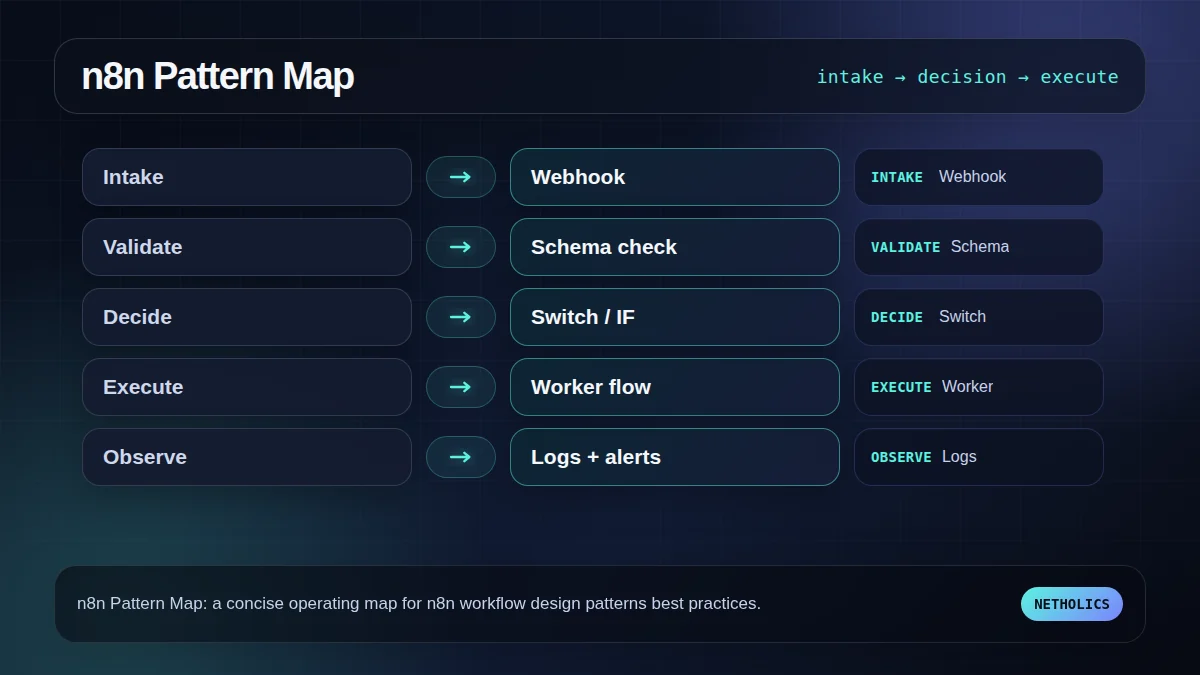
This visual is the fast reader check: if the team cannot name each stage, owner, and failure path, the workflow is not ready for production.
The readiness board before rollout
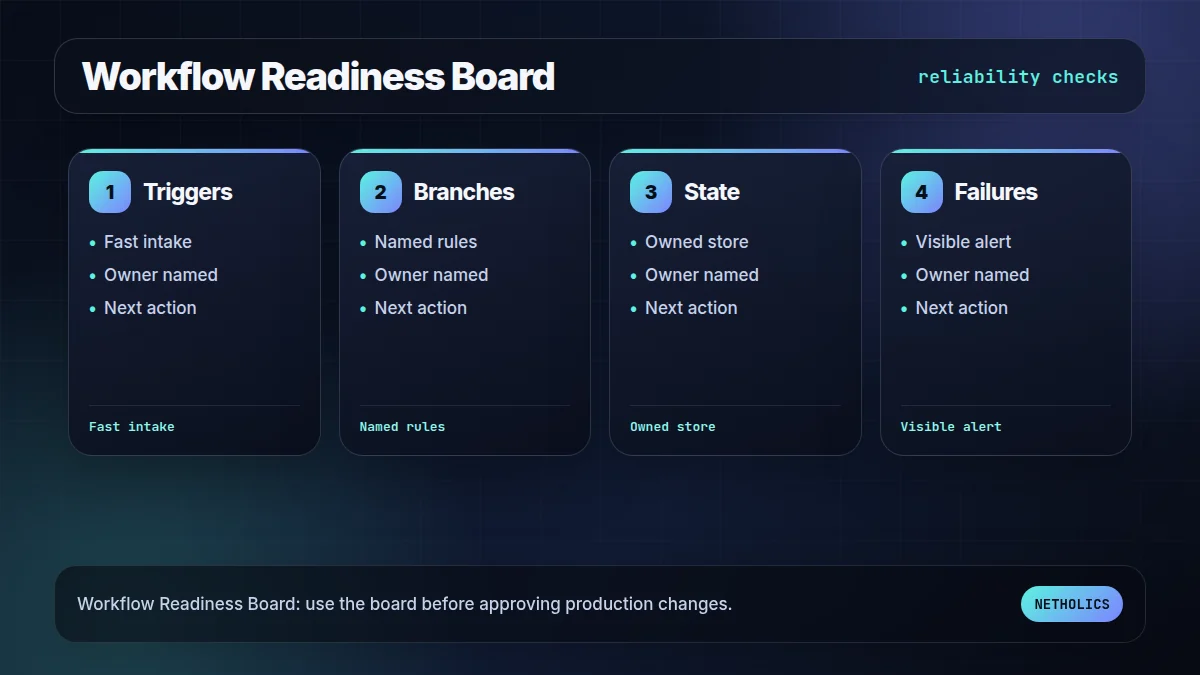
The second visual turns the idea into an approval board. It keeps the article practical: what has to be true before the workflow should go live?
What the official docs imply
Reference card · durable source
n8n workflow docs is the stable reference for the underlying implementation model. Use official docs to verify behavior before building client-facing automation.
Netholics comment: The practical opportunity is not copying documentation into a blog post. It is turning those docs into an operating workflow with owners, tests, links, and approval gates. This post connects naturally to n8n error workflow patterns n8n queue mode worker scaling n8n credentials and secrets management human-in-the-loop AI guardrails n8n automation agency.
Implementation checklist
- Define the business owner. Name the person who can approve exceptions and rollback choices.
- Lock the source of truth. Decide which table, API, sitemap, or CRM record the workflow trusts.
- Capture examples. Keep at least one success case, one empty case, and one failure case.
- Design the failure path. Alerts, logs, and retries must exist before launch.
- Add contextual internal links. Connect this workflow to relevant service pages and sibling posts so readers and crawlers understand the cluster.
- Schedule a review loop. Re-check outcomes after publication or deployment instead of assuming the first version is final.
Automation readiness card
| Decision | Recommendation | Why it matters |
|---|---|---|
| Impact | High | The workflow improves search visibility, operational reliability, or automation ownership. |
| Risk | Medium | Bad automation can create wrong links, missed alerts, or silent workflow failures. |
| Effort | Low to medium | n8n makes orchestration fast, but review rules and tests still need careful setup. |
| Do first | Pilot one workflow | A reversible pilot proves the pattern without risking the whole system. |
Frequently asked questions
Q: What is an n8n workflow design pattern?
It is a repeatable structure for solving a common automation problem, such as intake validation, branching, retries, state management, or human approval.
Q: Should every n8n workflow be split into smaller workflows?
No. Split when ownership, retries, security, or failure isolation improves. Do not split simple workflows just to look architectural.
Q: What is the best first pattern to standardize?
Start with error handling and alert ownership. A workflow that fails visibly is safer than a clever workflow that fails silently.
Q: Where should n8n store workflow state?
Use the smallest reliable store for the job. Temporary state can stay inside execution context, but business state should live in a durable owned system.
Q: How do AI workflows change the design pattern?
They add review and policy boundaries. The workflow should decide when the model can draft, when a human must approve, and what evidence gets logged.
Need this built into a real system?
Netholics designs AI, n8n, SEO/GEO, and growth-system automations with the audit trail, internal links, and review gates needed for production.