n8n + LLM Internal Linking Automation: Build a Safer SEO Interlinking Workflow
How to use n8n and an LLM to suggest internal links, protect editorial quality, and strengthen SEO/GEO without auto-inserting bad anchors.
The 60-second answer
- Start with the operating risk. How to use n8n and an LLM to suggest internal links, protect editorial quality, and strengthen SEO/GEO without auto-inserting bad anchors.
- Build from source truth. Use approved URLs, stable docs, owner names, tests, and clear rollback paths before automation touches production.
- Keep humans where judgment matters. n8n and LLMs should reduce repetitive work while surfacing decisions that affect revenue, customers, or search visibility.
Internal linking is too important to leave to memory
Most teams know internal links matter, but the work gets skipped because it is repetitive. New articles ship, old service pages stay isolated, and useful supporting posts never pass authority or context to the pages that convert. The result is a content library that looks large but behaves like scattered islands.
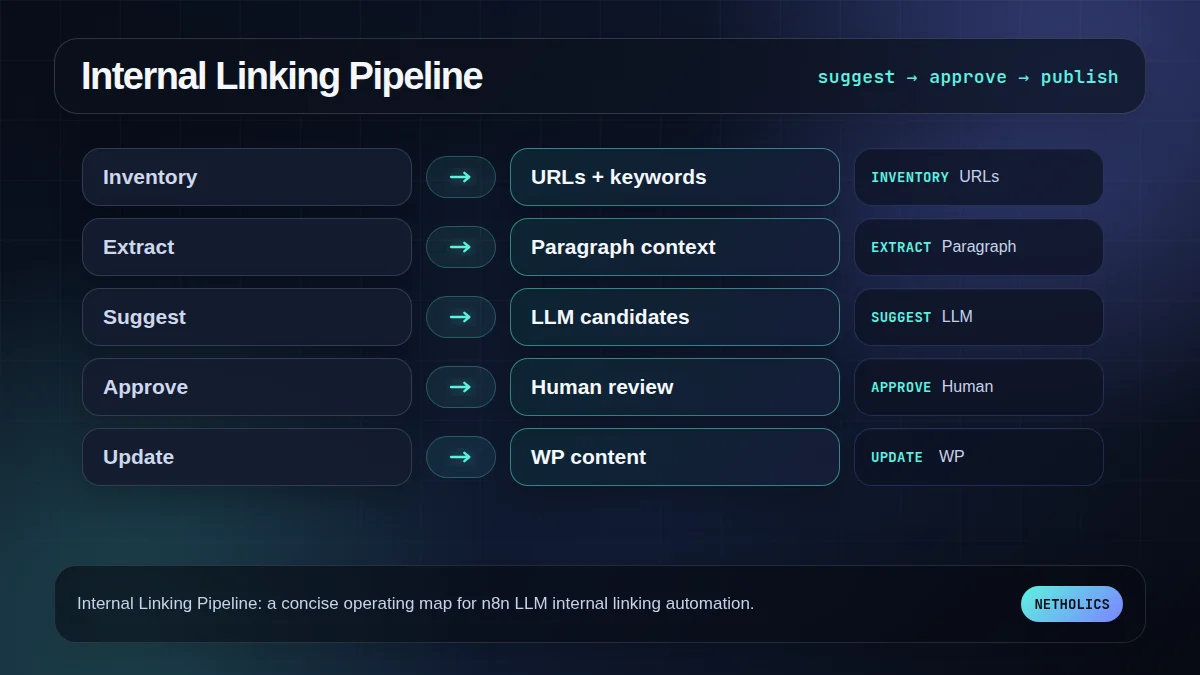
An LLM can help find anchor opportunities, but it should not be allowed to auto-insert links blindly. The safe workflow is: collect candidate pages, retrieve context, suggest anchors, score relevance, require approval for risky changes, then write approved links back to WordPress.
Start with a clean page inventory
The workflow needs a known set of URLs, titles, meta descriptions, primary keywords, and existing internal links. For Netholics, that source is the internal-link keyword tracker. For a client, it can be a sitemap, CMS export, Search Console export, or a curated Airtable table.
The inventory matters because it limits the model. Instead of asking for links from the whole internet, you give it the approved destinations and tell it never to suggest categories, tags, feeds, comments, search URLs, or weak utility pages.
Ask the model for candidates, not final edits
The model should return structured candidates: source paragraph, anchor text, target URL, reason, confidence, and risk notes. It should also say when no link is appropriate. That refusal behavior is important. A workflow that forces every paragraph to link will create spammy anchors and reader distrust.
In n8n, use the HTTP Request node or AI node to call the model, then store candidates in Airtable, Sheets, Notion, or a database for review.
Human approval protects brand and rankings
Internal links affect conversion pages, topical authority, and reader trust. A human should approve links that touch money pages, legal/health claims, or aggressive anchor text. Approval can be lightweight: approve, edit anchor, reject, or request a different target.
The automation wins by removing discovery work, not by removing judgment. The editor should see fewer choices, each with better context.
Measure discovery, not just insertion count
Do not celebrate link count alone. Track which target pages gained contextual links, whether isolated pages now have paths from relevant posts, and whether Search Console impressions/clicks improve over time. For GEO, track whether AI answer monitoring starts mentioning the right entities and service pages more consistently.
The best internal linking workflow becomes a maintenance loop: new post published, candidate links generated, editor approves, tracker updates, and priority gaps shrink.
The practical framework
| Workflow step | n8n component | Quality guardrail |
|---|---|---|
| Collect URLs | Sitemap / WP REST / tracker CSV | Use approved destinations only. |
| Extract context | HTTP Request + HTML parse | Keep the paragraph around each candidate. |
| Suggest anchors | LLM call | Return JSON with reason and confidence. |
| Review | Airtable / Slack / email approval | Human approves money-page links. |
| Update CMS | WordPress REST / WP-CLI | Write only approved changes. |
The workflow map to use first
This visual is the fast reader check: if the team cannot name each stage, owner, and failure path, the workflow is not ready for production.
The readiness board before rollout
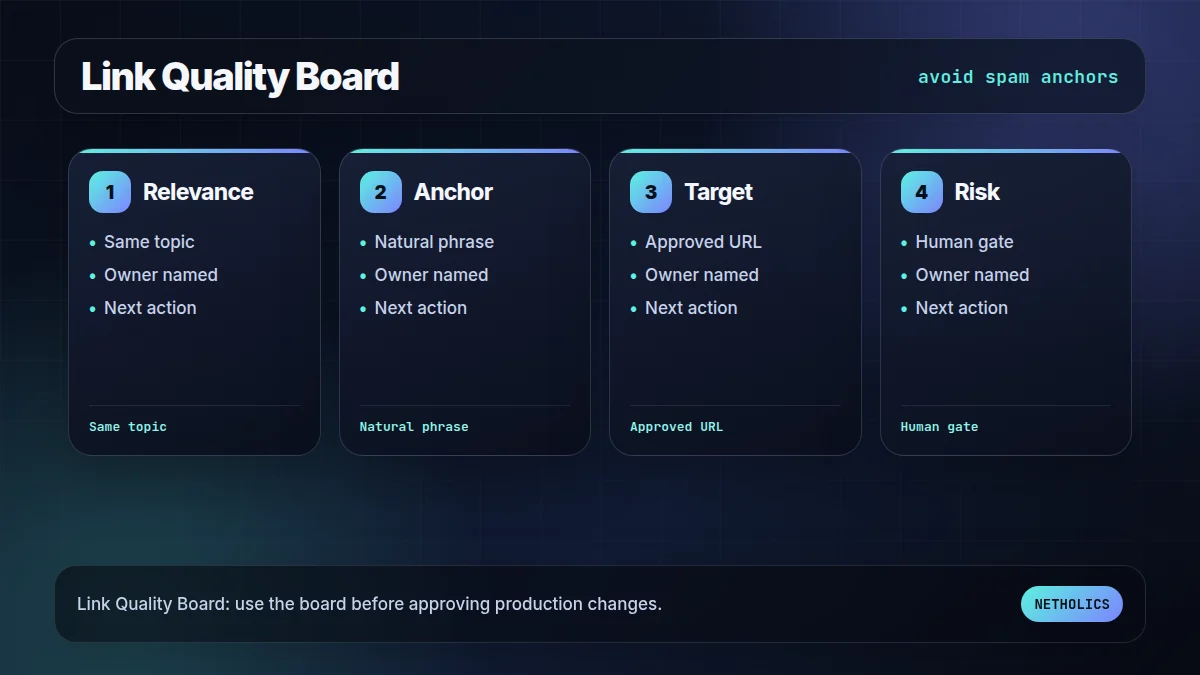
The second visual turns the idea into an approval board. It keeps the article practical: what has to be true before the workflow should go live?
What the official docs imply
Reference card · durable source
Google Search Central: links best practices is the stable reference for the underlying implementation model. Use official docs to verify behavior before building client-facing automation.
Netholics comment: The practical opportunity is not copying documentation into a blog post. It is turning those docs into an operating workflow with owners, tests, links, and approval gates. This post connects naturally to SEO content automation generative engine optimization AI business tools Make to n8n migration checklist multi-LLM GEO testing workflow.
Implementation checklist
- Define the business owner. Name the person who can approve exceptions and rollback choices.
- Lock the source of truth. Decide which table, API, sitemap, or CRM record the workflow trusts.
- Capture examples. Keep at least one success case, one empty case, and one failure case.
- Design the failure path. Alerts, logs, and retries must exist before launch.
- Add contextual internal links. Connect this workflow to relevant service pages and sibling posts so readers and crawlers understand the cluster.
- Schedule a review loop. Re-check outcomes after publication or deployment instead of assuming the first version is final.
Automation readiness card
| Decision | Recommendation | Why it matters |
|---|---|---|
| Impact | High | The workflow improves search visibility, operational reliability, or automation ownership. |
| Risk | Medium | Bad automation can create wrong links, missed alerts, or silent workflow failures. |
| Effort | Low to medium | n8n makes orchestration fast, but review rules and tests still need careful setup. |
| Do first | Pilot one workflow | A reversible pilot proves the pattern without risking the whole system. |
Frequently asked questions
Q: Should an LLM automatically insert internal links?
Usually no. Let the model suggest links and reasons, then require approval for important pages or aggressive anchors.
Q: What data should the workflow give the model?
Provide approved target URLs, primary keywords, page summaries, the source paragraph, and rules about banned destinations.
Q: How many internal links should a blog post include?
Use enough to help the reader and crawler, typically 3–5 contextual links for a substantial post. Do not force links where they do not help.
Q: Can this workflow update WordPress directly?
Yes, but only after approval. The safer pattern writes candidates to a review queue before touching post content.
Q: How does internal linking help GEO?
Clear entity relationships and contextual links help AI systems and search engines understand which pages are authoritative on a topic.
Verified sources
Need this built into a real system?
Netholics designs AI, n8n, SEO/GEO, and growth-system automations with the audit trail, internal links, and review gates needed for production.