AI Automation for Education and Training Providers: Support Without Losing Trust
A learner-operations playbook for enrollment, support, content, and records that keeps grading, safeguarding, accommodations, discipline, and consequential decisions with accountable people.
The 60-second answer
- Start with administrative support: enrollment completeness, approved FAQs, session reminders, content-update queues, and instructor handoffs.
- Classify learner records, age context, consent, accommodations, safeguarding signals, and vendor access before connecting systems.
- Keep grading, admissions, discipline, accommodations, identity, safeguarding, and other consequential learner decisions behind qualified review.
- Measure resolution time, answer-source coverage, escalation quality, record corrections, accessibility exceptions, and unresolved learner needs.
Begin with the decision boundary
Education and training providers coordinate websites, learning platforms, enrollment forms, payments, calendars, content libraries, support inboxes, assessments, and learner records. Automation can reduce repetitive navigation and status questions, but a wrong answer can affect access, deadlines, accommodations, or trust.
The first system should retrieve from an approved knowledge base, cite the governing policy or course record, and escalate when identity, learner status, age, accessibility, safeguarding, or consequential judgment is involved. A fluent response without a source is not a reliable learner service.
Providers also need to separate marketing prospects, enrolled learners, minors, employees, instructors, and enterprise clients. Their data rights and workflow expectations are not interchangeable.
A five-stage human-owned workflow
The same control pattern can support several operational queues without pretending that every decision is automatable. Each stage creates an inspectable record and can stop safely.
- Capture the request. Collect the minimum approved source fields and preserve who or what supplied them.
- Validate context. Confirm identity, record, scope, destination, required fields, and applicable policy state.
- Create reviewable work. Classify and transform into a draft task, packet, response, or exception without making the protected decision.
- Apply the human gate. Send consequential, sensitive, ambiguous, or low-confidence work to the named authorized owner.
- Record and improve. Preserve source, transformation version, reviewer, outcome, correction, and follow-up evidence.
Five workflows worth evaluating first
These are candidate operating patterns, not universal approvals. Start where the input is governed, the output is reviewable, and a named owner already manages the exception.
| Workflow | Bounded input | Automation role | Human gate | Operating measure |
|---|---|---|---|---|
| Enrollment completeness | Approved application fields and learner-provided documents | Validate required items and create review queue | Admissions staff decide eligibility and exceptions | Complete records reaching authorized review |
| Learner support | Authenticated context and approved knowledge sources | Retrieve source-linked answer or create ticket | Instructor or support owner handles ambiguity and exceptions | Resolved questions without unsupported answer |
| Session reminders | Enrollment state, schedule and communication preference | Send approved reminders and capture delivery | Staff handle changes, accessibility and sensitive replies | Attendance-related issues caught before session |
| Content maintenance | Approved curriculum inventory and source versions | Detect stale links, dates and duplicate assets | Instructor or content owner approves learning changes | Verified updates completed before use |
| Completion records | Approved assessment and attendance records | Assemble completion checklist and draft record | Authorized staff approve status and credential | Corrections to issued completion records |
Four failures to design out
The primary risk is rarely a malformed prompt. It is an operating system that hides provenance, expands authority, or makes an exception look routine.
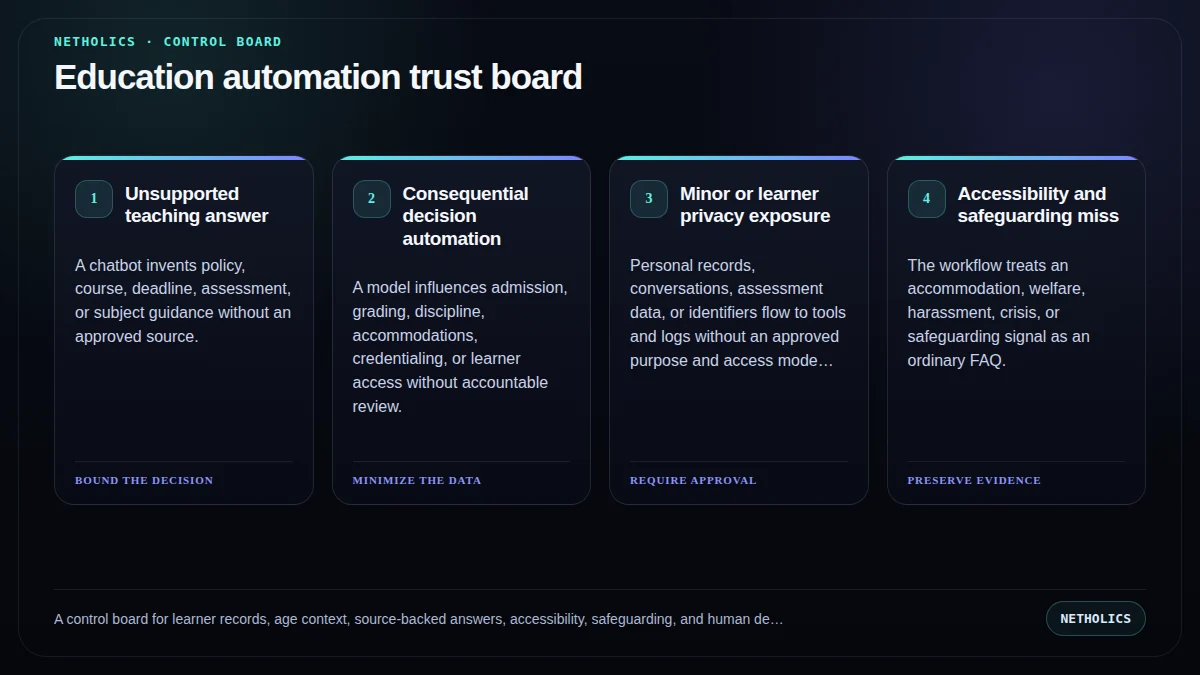
Unsupported teaching answer failure
A chatbot invents policy, course, deadline, assessment, or subject guidance without an approved source.
Consequential decision automation failure
A model influences admission, grading, discipline, accommodations, credentialing, or learner access without accountable review.
Minor or learner privacy exposure failure
Personal records, conversations, assessment data, or identifiers flow to tools and logs without an approved purpose and access model.
Accessibility and safeguarding miss failure
The workflow treats an accommodation, welfare, harassment, crisis, or safeguarding signal as an ordinary FAQ.
Measure service quality, not the AI story
Lock definitions before the pilot. Segment clean-path work from exceptions and preserve the denominator, time window, owner, and correction history.
| Metric | Definition | Review use |
|---|---|---|
| Source-backed resolution rate | Support responses resolved using the current approved policy, course, schedule, or record source. | Open a diagnostic queue; do not convert the signal into an unsupported outcome claim. |
| Escalation quality | Sensitive, ambiguous, accessibility, safeguarding, grading, and identity cases reaching the correct qualified owner. | Open a diagnostic queue; do not convert the signal into an unsupported outcome claim. |
| Learner-record correction rate | Material corrections to enrollment, attendance, assessment, completion, or credential records after automation touched the flow. | Open a diagnostic queue; do not convert the signal into an unsupported outcome claim. |
| Unresolved need age | Open learner requests by impact, owner, dependency, and age rather than one support average. | Open a diagnostic queue; do not convert the signal into an unsupported outcome claim. |
A minimal control record
Keep source facts, automation output, human decisions, and final system state separate. The record should be understandable after the model, vendor, staff member, or interface changes.
workflow: learner-support
audiences: [prospect, enrolled_learner, instructor, enterprise_client]
source_policy: approved-knowledge-only
prohibited_actions: [grading, admission_decision, discipline, accommodation_decision, credential_issue]
human_gate:
  owner: learner-support-or-instructor
  required_on: [identity, minor, safeguarding, accessibility, assessment, policy_exception]
response_record: [question, source_version, draft, confidence_state, escalation, reviewer, outcome]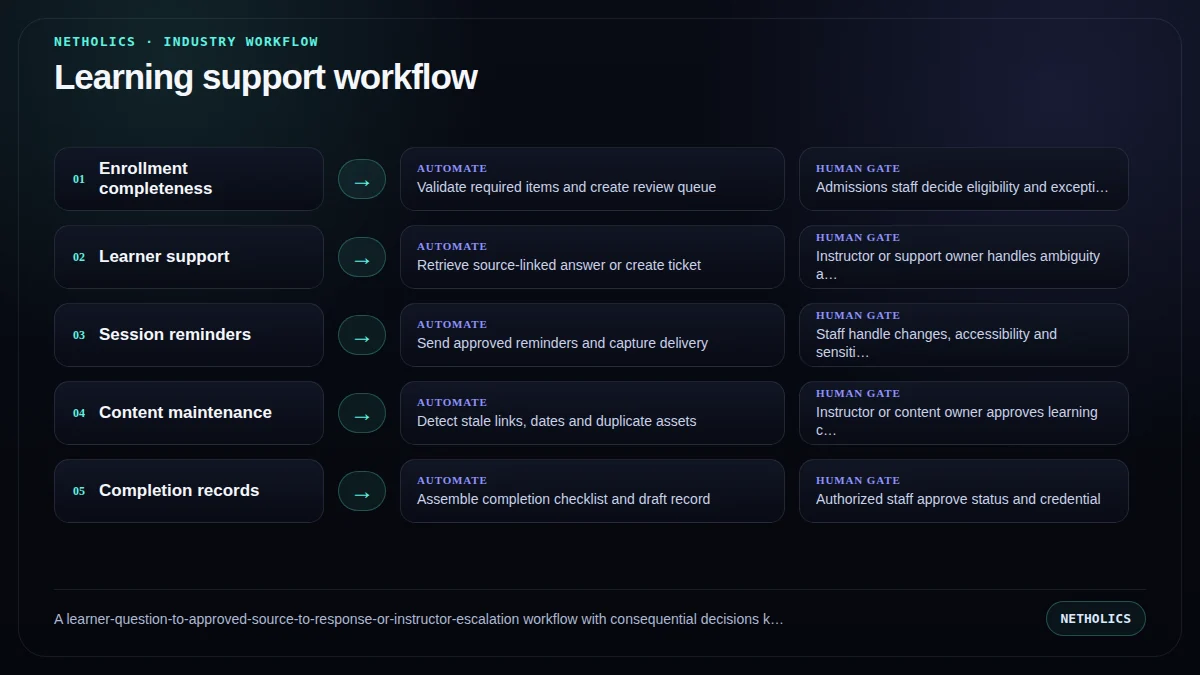
A practical implementation runbook
- Name the protected decision. Write what the system must never decide, send, change, approve, or suppress autonomously.
- Map data and authority. Inventory source systems, sensitive fields, identities, credentials, vendors, destinations, retention, and write permissions.
- Choose one bounded queue. Start with one authenticated learner-support topic backed by approved course and policy sources, with citations, an instructor escalation route, and no grading or record changes.
- Build exception-first. Define identity mismatch, missing data, conflict, low confidence, sensitive content, urgency, and policy exception routes before the clean path.
- Run in shadow mode. Compare proposed classifications and drafts with the existing process; record corrections without letting the workflow act.
- Approve a narrow production scope. Allow only the tested inputs, destinations, actions, owners, hours, volumes, and rollback conditions.
- Review evidence monthly. Inspect corrections, complaints, access failures, exceptions, policy changes, and whether the workflow still solves the original queue problem.
A staged 30–60–90 rollout
Days 1–30: map and baseline. Document the current queue, protected decisions, source systems, data classes, owners, failure paths, service times, and correction history. Test access and deletion before connecting production records.
Days 31–60: shadow the workflow. Let the system create proposed classifications, packets, tasks, or drafts while people continue the existing process. Compare every disagreement and repair policy, data, or routing before tuning prompts.
Days 61–90: release one bounded action. The recommended pilot is one authenticated learner-support topic backed by approved course and policy sources, with citations, an instructor escalation route, and no grading or record changes. Keep sending, record changes, consequential decisions, and material exceptions behind approval.
After day 90: expand by evidence. Add one queue, role, destination, or action at a time. Reassess vendor access, model behavior, policy, data, and rollback whenever the authority boundary changes.
What primary sources actually support
Netholics boundary: official material defines regulatory, privacy, security, or governance context. It does not certify this article, approve a vendor, or replace qualified sector-specific review.
Implementation checklist
- A named business owner and qualified policy reviewer approve the scope.
- The protected decisions and prohibited autonomous actions are explicit.
- Source, inferred, reviewed, and final values remain distinguishable.
- Sensitive fields, identities, roles, credentials, retention, and vendor access are mapped.
- Every consequential or low-confidence path has a tested human escalation.
- Draft, approval, send, system-change, and exception states are visibly different.
- Logs contain enough evidence to investigate without copying unnecessary sensitive data.
- The pilot has a baseline, rollback trigger, correction metric, and review date.
Automation readiness card
| Decision | Assessment |
|---|---|
| Impact | High when a repetitive queue delays customers, staff, records, or downstream work and already has a responsible owner. |
| Risk | High when the workflow touches sensitive data, protected decisions, vulnerable people, safety, money, rights, or external communications. |
| Effort | Medium to high; integration is often easier than data classification, authority design, exception handling, supervision, and evidence retention. |
| Best first workflow | One authenticated learner-support topic backed by approved course and policy sources, with citations, an instructor escalation route, and no grading or record changes. |
| Do not automate yet | When policy ownership, source-of-truth records, identity, escalation, access, or rollback cannot be demonstrated. |
Frequently asked questions
Q: What should an education provider automate first?
Start with bounded administrative support such as enrollment completeness, approved FAQs, reminders, content-maintenance queues, and instructor ticket routing.
Q: Can AI grade learners automatically?
This playbook keeps grading, admissions, discipline, accommodations, credentialing, and other consequential learner decisions with accountable people.
Q: Does FERPA apply to every training provider?
No. Applicability depends on the institution and context. Providers should determine which education-record, privacy, contract, and state requirements apply.
Q: How should a learner-support bot answer questions?
Retrieve from current approved sources, link or cite the governing material, preserve the source version, and escalate when the answer is uncertain or consequential.
Q: What if children use the service?
Age context can change privacy and consent obligations. Providers serving children should obtain qualified review and build age-appropriate data and escalation controls.
Q: Which pilot metrics matter?
Track source-backed resolution, correct escalation, record corrections, unresolved-need age, accessibility exceptions, and learner complaints.
Verified sources and next steps
Continue with AI Automation Agency, AI Systems Audit, AI customer support automation, Human-in-the-loop AI workflow, AI automation governance policy.
Turn one operating queue into a controlled automation pilot
Netholics maps the data, authority, human gates, integrations, evidence, and rollout needed to automate without hiding risk.