AI Answer Monitoring Workflow: Find Content Gaps Before Competitors Own the Answer
A practical answer-monitoring system for tracking buyer questions, AI summaries, competitor mentions, and the exact content gaps to fix next.
The 60-second answer
- A practical answer-monitoring system for tracking buyer questions, AI summaries, competitor mentions, and the exact content gaps to fix next.
- The safe pattern is evidence first, AI second, human approval before irreversible action.
- The output should be a specific fix queue, not a vague dashboard or a pile of generated text.
The problem this workflow solves
Most teams discover AI-answer visibility problems by accident: a prospect says a competitor kept showing up, or a founder manually asks a chatbot once and panics. A better system monitors a stable set of buyer questions, records who gets mentioned, checks whether the answer is accurate, and turns repeated gaps into content work.
The roast on this topic is simple: if the workflow cannot name the source, owner, review gate, and next business action, it is automation theater. A useful system reduces ambiguity. It should make it obvious what data came in, what the model changed, who approved it, and which page or workflow should be improved next.
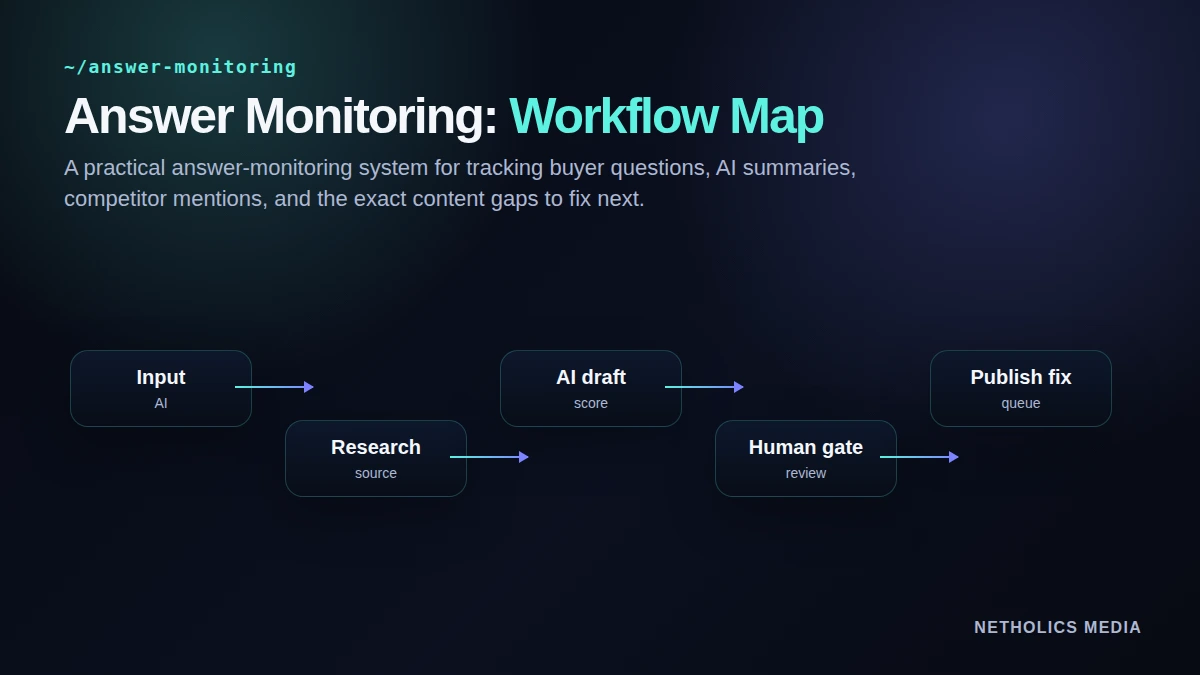
The operating workflow
Start narrow. Pick one high-value use case, run it manually once, then automate only the repeatable parts. The strongest systems are boring in the right places: stable inputs, visible validation, predictable approvals, and clear ownership.
- Choose 25 Choose 25 to 50 prompts across buyer problems, comparisons, local modifiers, and service-intent questions.
- Run monitored Run monitored prompts on a cadence and store answer snapshots, not just scores.
- Track brand Track brand mentions, competitor mentions, source URLs, sentiment, and next-step clarity.
- Cluster failures Cluster failures into content gaps: missing page, weak FAQ, unclear proof, thin comparison, or absent schema.
- Prioritize fixes Prioritize fixes by revenue intent and retest after each meaningful update.
Weak automation vs. production-ready automation
| Area | Weak pattern | Better pattern | Why it matters |
|---|---|---|---|
| Prompt drift | Team changes questions every run | Versioned prompt bank | Makes results comparable over time. |
| Competitor mentions | Not tracked | Competitor and source fields stored per answer | Shows who owns the answer today. |
| Fix ownership | Generic “improve content” notes | Assigned page, section, and owner | Turns monitoring into execution. |
| Retesting | One-off audit | Scheduled retest after edits | Shows whether improvements changed answer quality. |
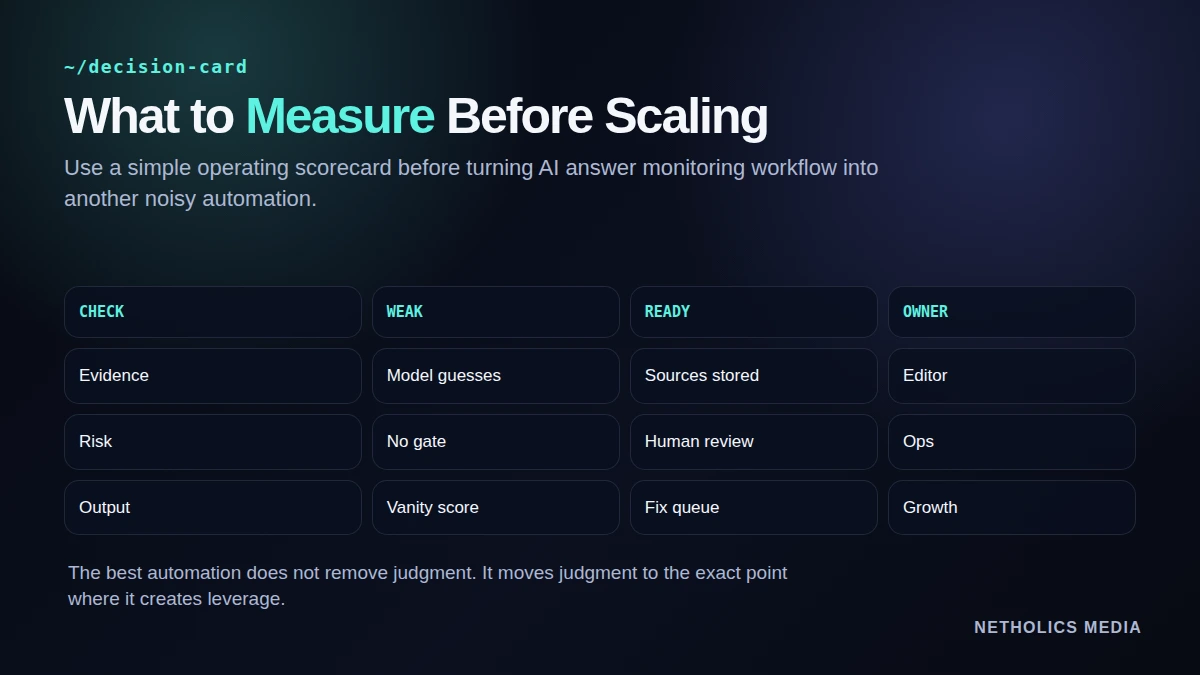
The control loop
Copy-paste starting point
answer_monitor:
  cadence: "weekly"
  prompt_bank: "geo-service-intent-v1"
  fields:
    - brand_mentioned
    - competitors_mentioned
    - source_urls
    - accuracy_note
    - recommended_page_fix
  escalation:
    high_intent_missing_brand: "create editorial ticket"
inaccurate_service_claim: "review within 24h"A launch runbook that avoids slop
Run the workflow manually before scheduling it. If the manual run does not create a better decision, automation will only create faster noise.
- Define the owner. Name who approves outputs and who fixes bad runs.
- Lock the inputs. Version prompts, source fields, URLs, and required metadata.
- Gate risky actions. Require review before public, customer-facing, financial, or destructive changes.
- Store evidence. Keep source URLs, model outputs, reviewer notes, and final action records.
- Review failures weekly. Turn rejected outputs into better validation rules and clearer prompts.
What other experts say
Reference card · Google Search Central AI features
The strongest automation starts from documented inputs, visible content, and repeatable evaluation instead of unsupported model output.
Netholics comment: this is why the workflow keeps sources, approvals, and final fixes attached to every AI-assisted output.
Implementation checklist
- Pick one workflow first. Avoid automating a whole department before one loop works.
- Require source evidence. Every hard claim or decision should point to a source record.
- Use risk tiers. Low-risk drafting can run faster; public or customer-facing changes need review.
- Keep output structured. A fix queue beats a long AI paragraph.
- Track rejections. Rejected outputs are the fastest way to improve validation.
- Retest after edits. Automation without a feedback loop is just a fancy form.
Automation readiness card
| Impact | High when the workflow supports a repeatable revenue or content operation. |
| Risk | Medium unless approvals, source checks, and rollback paths are explicit. |
| Effort | Low to medium for a first controlled loop; higher for full dashboarding. |
| Best first workflow | Start with one narrow use case that already has a human process. |
| Do not automate yet | Do not automate decisions nobody can explain, review, or reverse. |
Frequently Asked Questions
Q: What is AI answer monitoring?
AI answer monitoring is the process of repeatedly checking how AI systems answer important buyer questions, then tracking brand mentions, competitor mentions, source fit, and content gaps.
Q: How is answer monitoring different from GEO testing?
GEO testing is the measurement method. Answer monitoring is the ongoing operating system that runs tests on a cadence and turns repeated gaps into tasks.
Q: How many prompts should a small business monitor?
Start with 25 to 50 stable prompts across your highest-value services, comparisons, objections, and local or niche modifiers.
Q: Should AI answer monitoring run every day?
Usually no. Weekly or after major content updates is enough for most small businesses. Daily monitoring can create noise before there is enough signal.
Q: What should be tracked besides brand mention?
Track answer accuracy, competitor mentions, cited sources, service fit, sentiment, missing proof, and whether the answer suggests a useful next step.
Q: What happens after a weak answer is found?
Create a specific content task: update a service section, add a proof block, improve an FAQ, create a comparison article, or strengthen internal links. Then retest.
Verified Sources
Build the system, not the AI gimmick
Netholics designs AI automation and GEO workflows with source checks, approval gates, monitoring, and content systems that can survive real operations.