Automated Content Refresh Workflow: Update Pages Safely
Build a refresh queue from real decay and answer gaps, revalidate evidence before rewriting, and republish only after the changed sections pass human review.
The 60-second answer
- Separate detection from editing: a traffic drop is a review signal, not permission to rewrite.
- Revalidate dates, claims, links, screenshots, and product behavior before generating replacement copy.
- Use section-level change plans and preserve the original version for rollback.
- After republishing, monitor search, AI answers, and conversion to confirm the update helped.
Why this needs a controlled workflow
Many refresh automations are rewrite machines disguised as maintenance. They watch a date or ranking, send the full article to a model, and replace the page without identifying what became inaccurate or less useful. That can remove working sections, introduce unsupported claims, and erase the history needed to understand the result.
A safer system creates a review queue. It combines page age, performance movement, broken sources, changed product details, answer-monitoring gaps, and business priority. The output is a diagnosis and section plan—not an automatic rewrite.
This is where AI Content Automation Agency work differs from generic generation: the workflow owns evidence, state, review, and the next safe action.
The content refresh workflow operating model
The system has five bounded stages. Each stage produces an inspectable artifact before the workflow advances.
- Detect a signal. Combine age, traffic, conversions, broken links, answer gaps, and known product changes.
- Diagnose the cause. Distinguish stale evidence from intent mismatch, weak structure, technical issues, or normal volatility.
- Revalidate evidence. Open the primary sources and confirm that every changing claim still holds.
- Patch by section. Draft only the required changes, preserve useful content, and attach a reason to every edit.
- Approve and monitor. Review the diff, republish with rollback available, then measure whether the intended signal improves.
Controls that keep automation honest
Use the control table to separate evidence and state from generated prose. The goal is not more fields; it is a small record that makes unsafe shortcuts visible.
| Signal | Safe interpretation | Unsafe shortcut |
|---|---|---|
| Page age | Prompt a source and product review | Rewrite solely because twelve months passed |
| Traffic decline | Check query mix, SERP, indexing, seasonality, and competitors | Assume the prose is stale |
| Broken citation | Replace or remove the affected claim after verification | Swap in the first search result |
| AI answer gap | Add a concise sourced answer when it helps the reader | Stuff FAQ blocks for every monitored prompt |
Four failure modes to design out
A useful workflow can still fail when the sequence is technically valid but operationally unowned. Watch for these four patterns during the pilot.
Input not approved
The automation begins before detect a signal is complete. The system then scales ambiguity: reviewers correct facts, audience, and scope downstream even though those decisions belonged at intake. Make the first-stage artifact a hard requirement, not an optional prompt field.
Volume becomes the KPI
Teams count generated drafts or updated records because output is easy to measure. That rewards activity even when the work is rejected, creates no qualified response, or makes the content estate harder to maintain. Measure accepted work and useful outcomes instead.
Review has no owner
An approval node does not create accountability by itself. Name who can approve, what evidence they must see, which defects return the item, and how long a pending review may wait before escalation. Otherwise the gate becomes a ceremonial click.
No safe rollback
The workflow changes WordPress, media, metadata, or source records without preserving the previous state. A later problem becomes an emergency reconstruction. Store the prior version, workflow input, approval record, and affected URLs before every consequential write.
Measure the system, not just the output
Choose a small metric set before launch. Capture the baseline manually, then compare the automated path against the same definition. This prevents faster production from being mistaken for better operations.
| Metric | Measure | Interpretation |
|---|---|---|
| Input acceptance rate | Share of candidates that arrive with the source, owner, scope, and required fields complete. | Low acceptance means the workflow is compensating for a broken intake process. |
| First-pass approval rate | Share of generated items approved without factual, structural, or brand correction. | Track rejection reasons separately; a single percentage cannot show what to fix. |
| Defect escape rate | Published items later corrected for unsupported claims, broken media, wrong state, links, or metadata. | Count escaped defects even when a customer never reports them. |
| Qualified outcome | High for durable pages that already earn visibility or assist revenue. | Tie the workflow to the reader, search, operational, or commercial job it was built to improve. |
Review these metrics by workflow version and content type. If results are blended together, a high-volume low-risk path can hide failures in a smaller but commercially important path.
A minimal control record
This example is intentionally platform-neutral. Store equivalent fields in a database, spreadsheet, CMS record, or workflow payload so the decision survives beyond one prompt.
refresh_candidate:
  url: https://www.netholics.com/example/
  signals:
    broken_sources: 1
    answer_gap: true
    traffic_change_requires_review: true
  diagnosis: pending
  permitted_actions:
    - update_source
    - patch_section
    - add_internal_link
  prohibited_actions:
    - replace_full_article
    - invent_statistics
  approval: required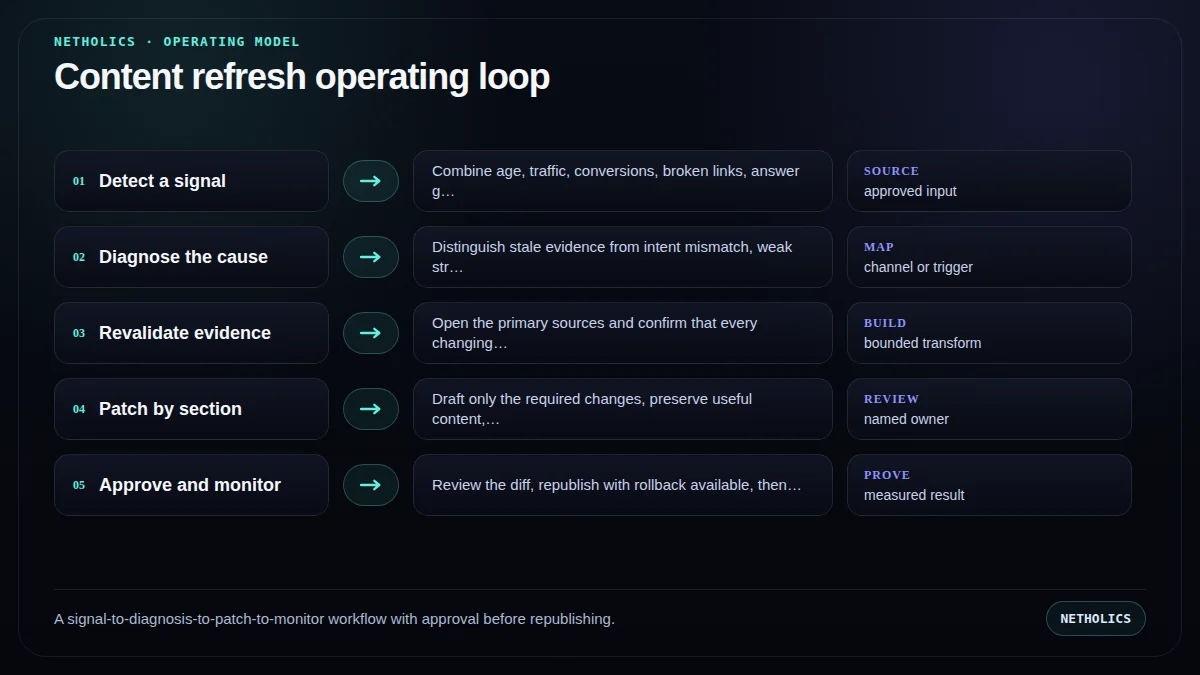
A practical launch runbook
Run the system manually before scheduling it. Automation should make a proven review process repeatable—not hide an undefined one.
- Create the inventory. Store canonical URL, owner, intent, service target, publish date, source list, and last meaningful review.
- Define review signals. Use multiple signals and minimum thresholds so routine volatility does not create noisy tickets.
- Build a diagnosis template. Require the reviewer to identify the failing section, evidence, and expected outcome.
- Recheck every source. Open primary URLs, update dates carefully, and remove claims that no longer have support.
- Generate a narrow patch. Provide the model only the section, claim ledger, audience, and change request.
- Publish through a diff. Save the prior version, approve the exact delta, update modified dates honestly, and monitor the result.
A staged 30–60–90 rollout
Days 1–30: baseline and shadow mode. Complete the first runbook steps manually, record current review time and defect types, and let the workflow produce recommendations without writing to production. Compare every proposed action with a human decision.
Days 31–60: limited live pilot. Allow one narrow, reversible path to write only after approval. Cap weekly volume, keep the previous version, and review input acceptance, first-pass approval, and escaped defects. Do not widen scope to make a weak metric look better.
Days 61–90: controlled expansion. Add one adjacent use case only when the first path has stable ownership and a qualified outcome. Reuse the state model and logging, but write a fresh risk boundary for the new path.
After day 90: operate, do not merely launch. Assign maintenance, source revalidation, workflow-version review, and rollback testing. The best first workflow remains Broken-link and stale-claim review for ten commercially important pages.; expansion is earned by evidence rather than by schedule.
What authoritative sources add
Netholics comment: official guidance is a boundary, not a substitute for implementation judgment. The workflow still needs an accountable owner and a visible reason for every consequential transition.
Implementation checklist
- Assign an owner and business purpose to each refresh candidate.
- Require at least one meaningful signal beyond page age.
- Diagnose indexing, intent, technical, and seasonal causes before editing.
- Reopen every source used by a changing claim.
- Limit generation to named sections and approved evidence.
- Store the previous body and a reviewer-readable diff.
- Measure the intended outcome after republishing.
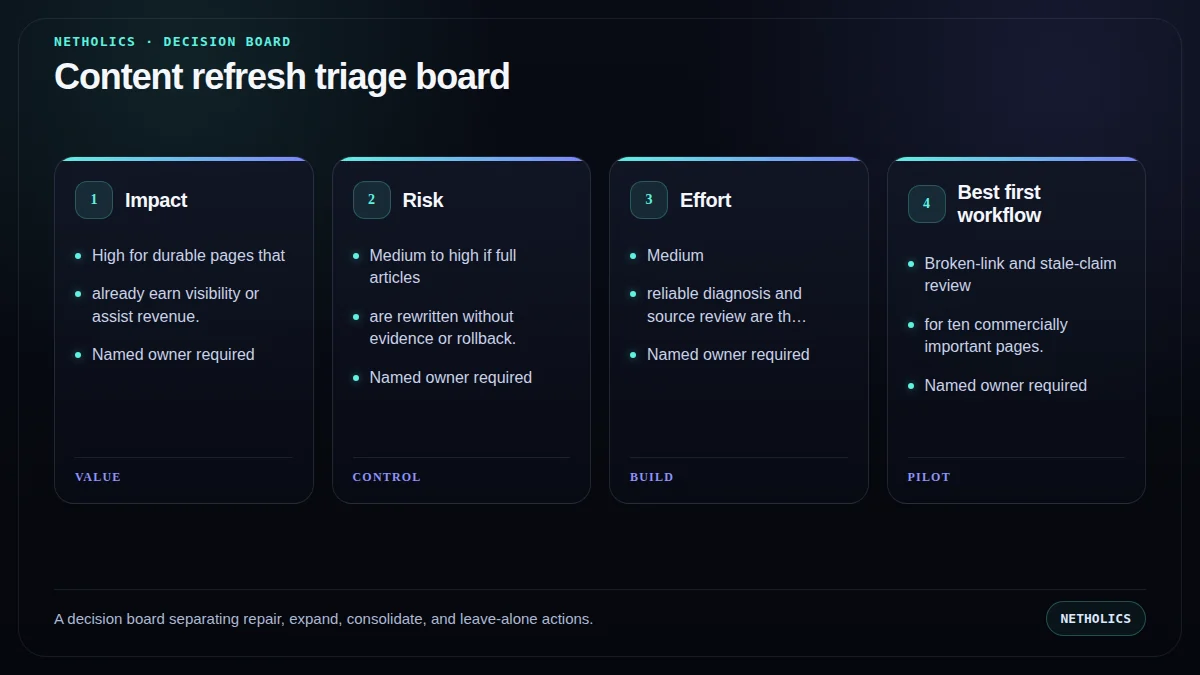
Automation readiness card
| Decision | Score |
|---|---|
| Impact | High for durable pages that already earn visibility or assist revenue. |
| Risk | Medium to high if full articles are rewritten without evidence or rollback. |
| Effort | Medium; reliable diagnosis and source review are the expensive steps. |
| Best first workflow | Broken-link and stale-claim review for ten commercially important pages. |
| Do not automate yet | When analytics are unreliable, ownership is unclear, or the page covers regulated/high-stakes advice. |
Frequently asked questions
Q: What is an automated content refresh workflow?
It is a system that detects review signals, diagnoses why a page may need work, revalidates evidence, drafts controlled section changes, and routes the diff through approval before republishing.
Q: How often should content be refreshed?
Use evidence rather than a universal calendar. Review when sources break, products change, answers drift, performance moves materially, or the page no longer satisfies its intended job.
Q: Should the workflow rewrite the entire article?
Usually not. Section-level patches preserve working content and make review, attribution, and rollback much safer.
Q: Does changing the modified date improve rankings?
A date should reflect a meaningful update. Changing it without substantive work is not a useful maintenance strategy and can reduce reader trust.
Q: What should trigger human review?
Any factual change, removed source, changed recommendation, commercial claim, legal or health topic, or large structural rewrite should require a named reviewer.
Q: How does answer monitoring support refreshes?
It reveals missing or inaccurate answers around tracked questions. Those gaps become evidence for a targeted update rather than a reason to rewrite everything.
Verified sources and next steps
For related implementation detail, continue with GEO Content Automation, Generative Engine Optimization, AI answer monitoring workflow, Multi-LLM GEO testing workflow.
Build the workflow before you scale the output
Netholics maps the source, state, review, WordPress, SEO, and GEO controls before automating production.